
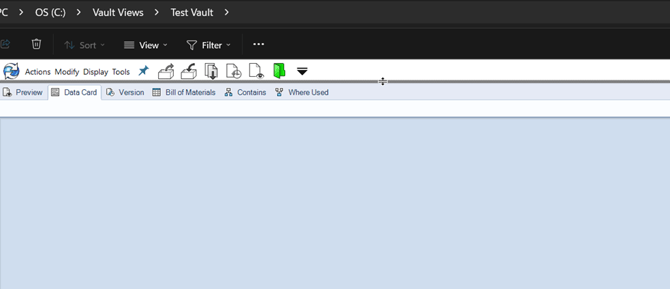
In the image above, you can see all the file menus and tabs, but no folders, files, or columns. So, what happened?
Most likely, the divider was accidentally dragged all the way to the top of the screen.
To fix this:
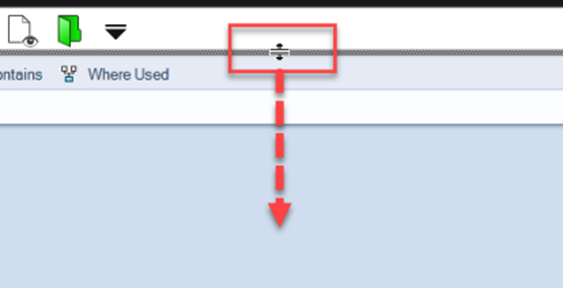
- Move your cursor between the file menus and the toolbars.
- You’ll notice the cursor changes shape when you hover over the divider.
- Click and hold, then drag the divider downward.
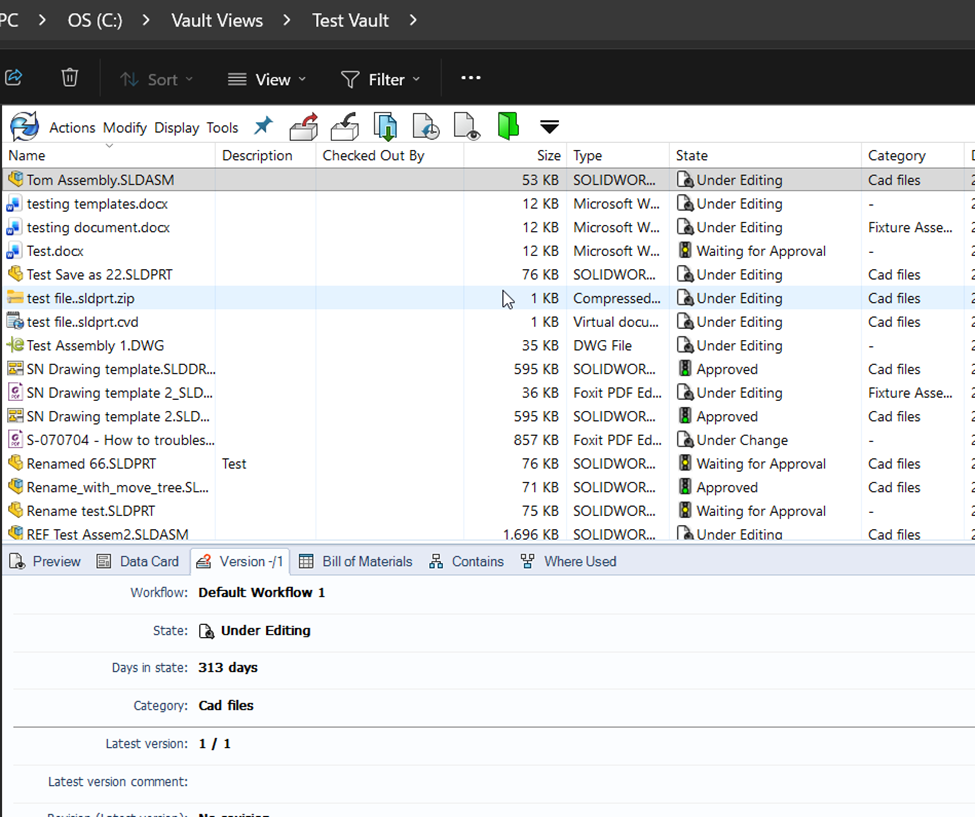
Voilà! Your folders and files should reappear.
These days, before diving into permissions troubleshooting, I first ask customers whether they can see the columns or if most of their screen appears blank or blue. This simple check can save time and quickly resolve the issue.
Also, providing screenshots when submitting a support ticket is extremely helpful. It allows us to see the issue firsthand and quickly rule out certain possibilities.