This most often happens after a new install or upgrade. It is caused by the value for the default increment being cleared out as a result of registry changes. Luckily, this is easy to check and correct.
The setting for the default increment lives in the settings menu within SOLIDWORKS.
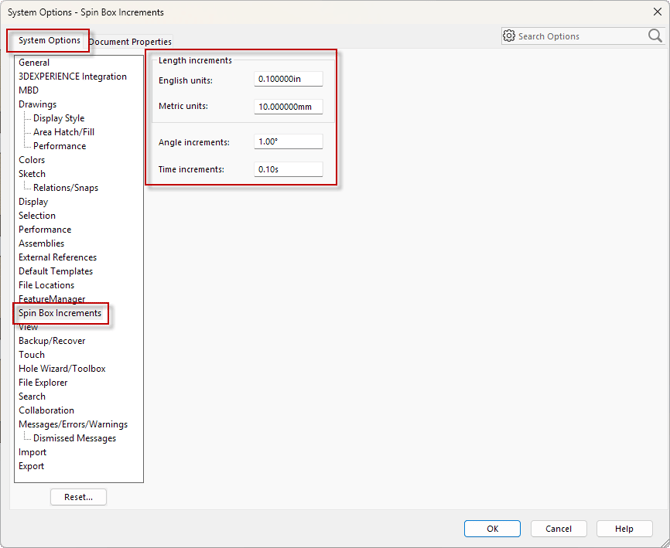
- Navigate to Tools > Options > System Options tab > Spin Box Increments.
- Ensure none of the boxes show a blank or zero value. The default values are shown and listed below:
- English units: 0.10in
- Metric units: 10.0mm
- Angle increments: 1.00 degrees
- Time increments: 0.10s