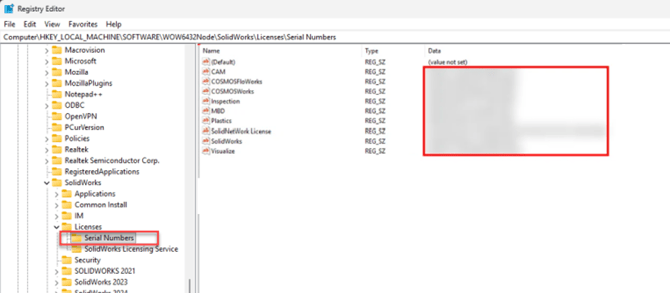
I recommend using this sparingly as it does not deactivate the serial number from the computer in the process (If using a standalone serial number), and could result in a activation error on the next computer that this serial number is used on. This can be an alternate way to switch from a trial number or in other situations where the "normal" process is not practical.
Warning: This should only be attempted by someone with experience making registry modifications, and only after a registry back up has been performed. Modifying the registry can damage windows if done incorrectly.
Client Machine (Standalone or Network)
- Open Registry Editor.
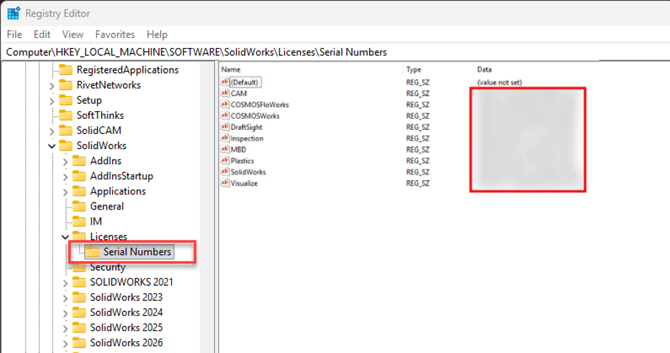
- Navigate to the following key: HKEY_LOCAL_MACHINE\SOFTWARE\SOLIDWORKS\Licenses\Serial
- Serial numbers will be listed by product on the right.
License Server
- Open Registry Editor.
- Navigate to the following key: HKEY_LOCAL_MACHINE\SOFTWARE\WOW6432Node\SolidWorks\Licenses\Serial Numbers
- Serial numbers will be listed by product on the right. If there are multiple serial numbers associated with any product, they will be separated by a comma.