Skip to content
English
  • There are no suggestions because the search field is empty.

How do I add a license to the SolidNetwork License Manager (2023 and newer)

In this article, we will instruct you on how to add a network license to your existing SolidNetwork License Manager in versions 2023 and newer.

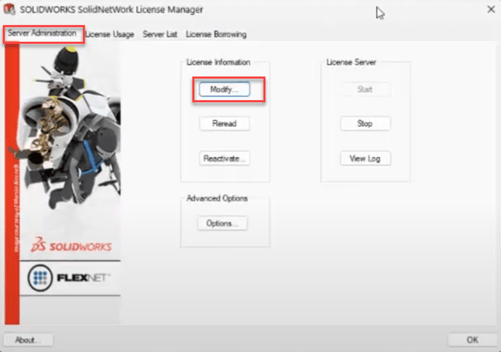
1. Launch License Manager Server.
2. Select modify.

3. Next select Activate/Reactivate your product license(s).
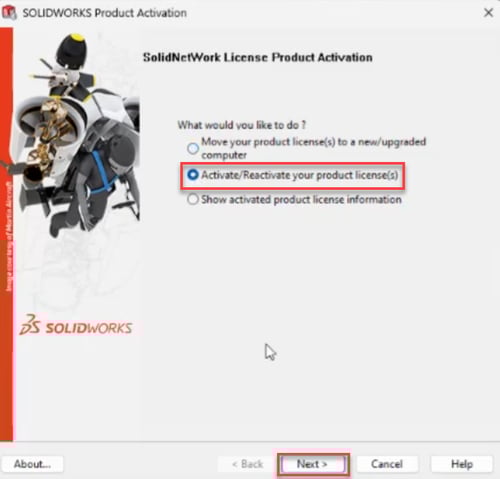
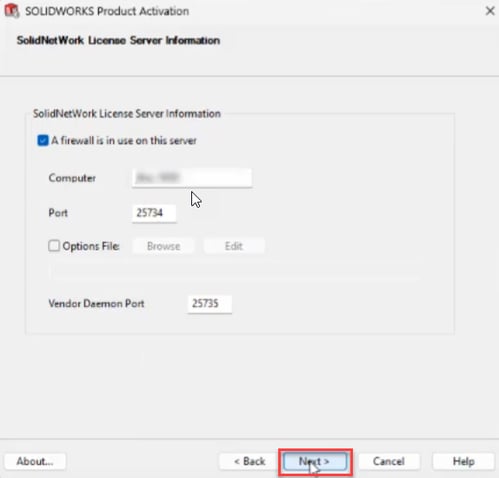
4. Select next to continue through the server information screen.

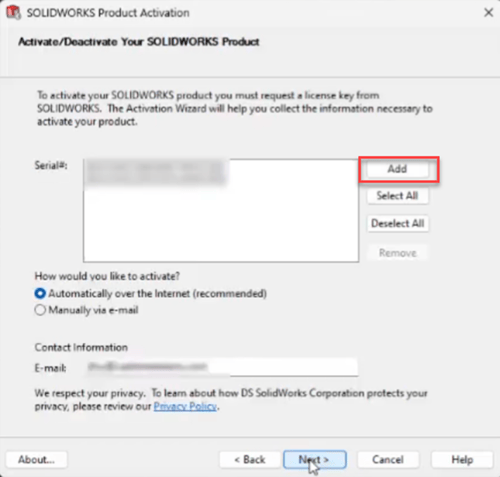
5. Select “Add”.

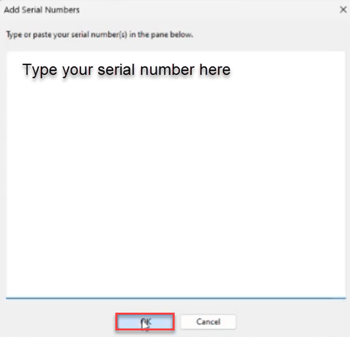
6. Type in new number and select ok.

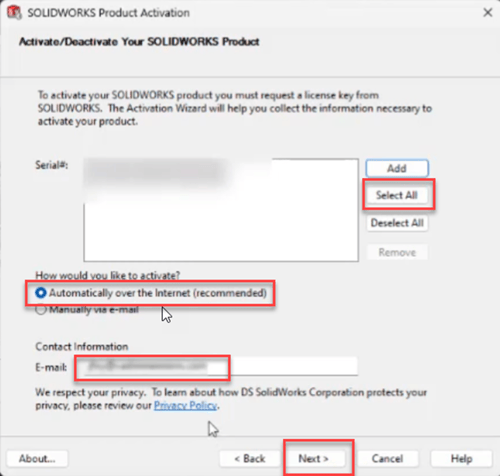
7. Choose the select all button and activate now over the internet (Make sure you have the email field completed) and select next.

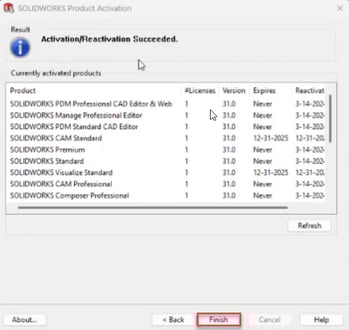
8. Now you will get confirmation that the activation was successful! Select finish.
 

For a closer look at the new process check the video below!!