
Update 3/20/26:
The fix has been integrated into release 1.8 - These instructions should not be necessary anymore, but we'll leave them here in case anyone still needs them!
Update 3/18/26:
A manually applied hotfix has been released! Please follow the instructions here:
https://support.3ds.com/knowledge-base/?q=docid:QA00000445516
Try launching now. Only go onto the next step if you continue experiencing issues!
Further Steps: Only if you applied the "DLL Renaming Fix" previously stated in this guide
These steps are only necessary if you are unable to connect after applying the hotfix. Below is a copy of the original instructions listed in this guide. This is for reference! Scroll down a bit and undo the changes if you applied them. If not, you may be experiencing a different issue. Please reach out If this does not work.
Original Instructions
-
Open File Explorer and navigate to the following folder:
C:\Program Files\Dassault Systemes\SOLIDWORKS 3DEXPERIENCE R2026x\win_b64\code\bin\SWXDesktopAddins
-
In this folder, locate the file:
SWK3DCompassAddin.dll
-
Rename this file to:
SWK3DCompassAddin.dll.bak
-
(simply add .bak to the end of the file name).
-
-
Restart SolidWorks.
-
In some cases, it may be best to restart the computer as well.
-
Please undo these changes! Rename "SWK3DCompassAddin.dll.bak" back to "SWK3DCompassAddin.dll". You most likely need to delete the "new" DLL before renaming the old one back.
More information on the issue:
This is a combination of issues regarding SOLIDWORKS Design and Microsoft WebView2 client's update that pushed over the weekend of 3/15/2026, and possibly as early as 3/13.
You may be experiencing an issue with the software that displays "An error has occurred" or "SOLIDWORKS has closed unexpectedly" and immediately crashes to desktop.
At the current moment - if you are working with files on the platform, you will not be able to directly edit them with the connector until you run the hotfix.
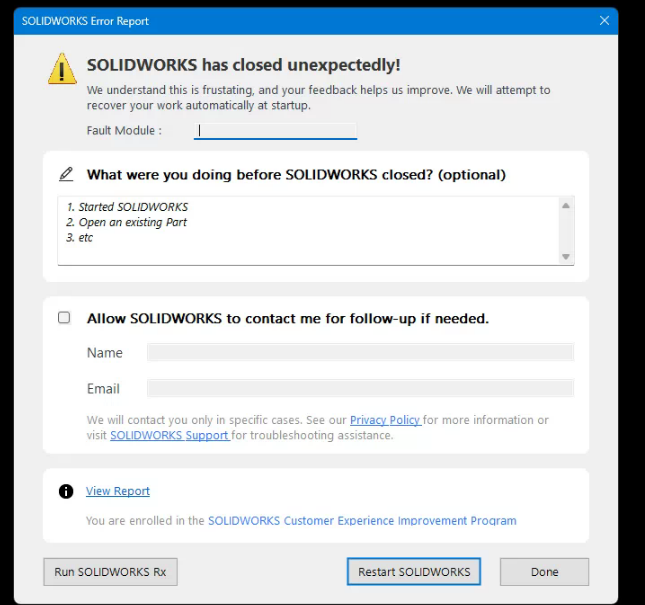
We will update this post as we receive updates on the fix.
It is planned to be a manual release - so keep an eye on your platform. Update your client by expanding the Compass > SOLIDWORKS Design drop down > and check for the "Colored circle of arrows", which is the manual update button.
When you are prompted, update to SOLIDWORKS Design HF 1.8.