
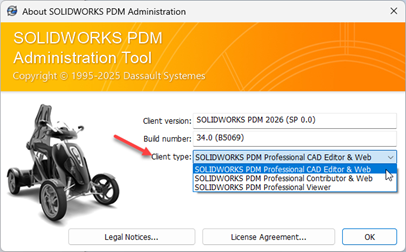
I am often asked how to switch license types, most commonly in two situations: when a user with a Viewer license needs to be upgraded to a Contributor license so they can add files to the vault, or when a user with a Contributor license needs access to the PDM add-in within SOLIDWORKS, which requires a CAD Editor license.
Required items: Local admin rights.
- Launch the Administration application on the user’s computer.
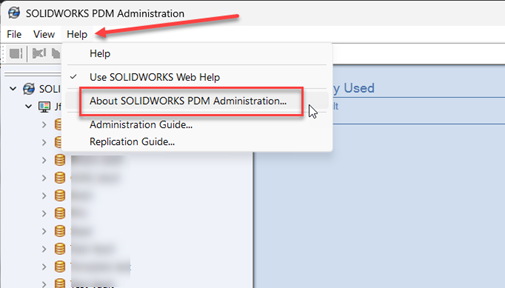
- Go to Help and then select About Solidworks PDM Administration.
- Choose the license from the Client type dropdown and hit OK.
- Reboot the system.