
Tip: You must have local admin rights to proceed or this will not work.
1. Launch the PDM administration application from an account with Windows local admin rights.
2. Go to help and select About SOLIDWORKS PDM.
3. Select the dropdown for Client type and choose the type of license desired.
4. Restart the computer and test.
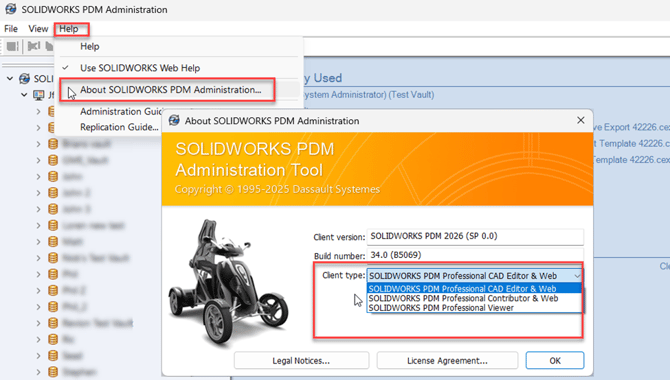
Licence types:
-
Cad Editor and Web = Enables/includes access to PDM add-in for SOLIDWORKS.
-
Contributor and Web = Allows check-in and out/ editing of files (No SOLIDWORKS add-in).
-
Viewer = Allows user to view but not modify, add or delete files.