
To enable toggling of this setting, you may be able to change it if you disable all 3DEXPERIENCE Add-In components.
Be aware, this disables the integration to the platform. Meaning, you will not be able to save the files to the platform with the settings toggled this way. It essentially disconnects you from the platform entirely.
- Save, and close all files
- Go to 3DEXPERIENCE Integration”…
- Toggle “SOLIDWORKS PDM or other data management installed separately”.
- Uncheck “Update all SOLIDWORKS files for compatibility with the 3DEXPERIENCE Platform”.
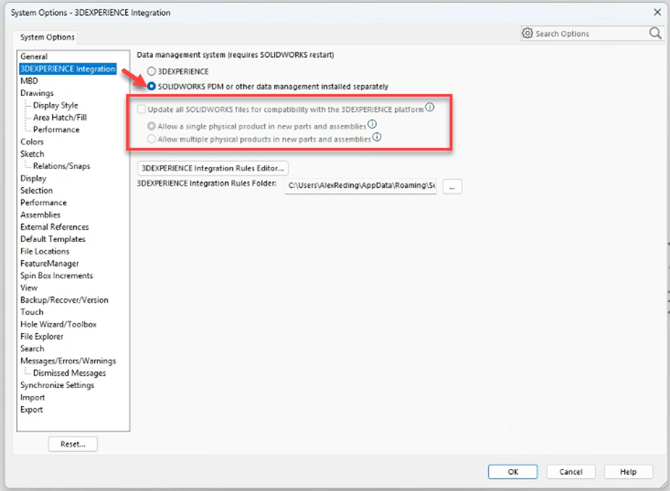
- Close and relaunch SOLIDWORKS and the setting will reappear and be selectable. If you do not open a part, the setting will be toggleable. If it is grayed out, ensure that you do not have any parts open.
This article also applies to standard licensed versions of SOLIDWORKS. If you are using SOLIDWORKS and this setting is gray, then ensure that you have no parts open, and you should be able to toggle it.
Not working like it should?